A Unity 2D project — C# scripts, scenes, prefabs, sprites and project settings — builds and runs as a Codename One application without changes to its scripts or its assets. You copy the project into a Codename One project, the build compiles the C# and translates it to Java bytecode, and the game runs on every Codename One target: iOS, Android, the JavaScript port, the desktop ports and the simulator.
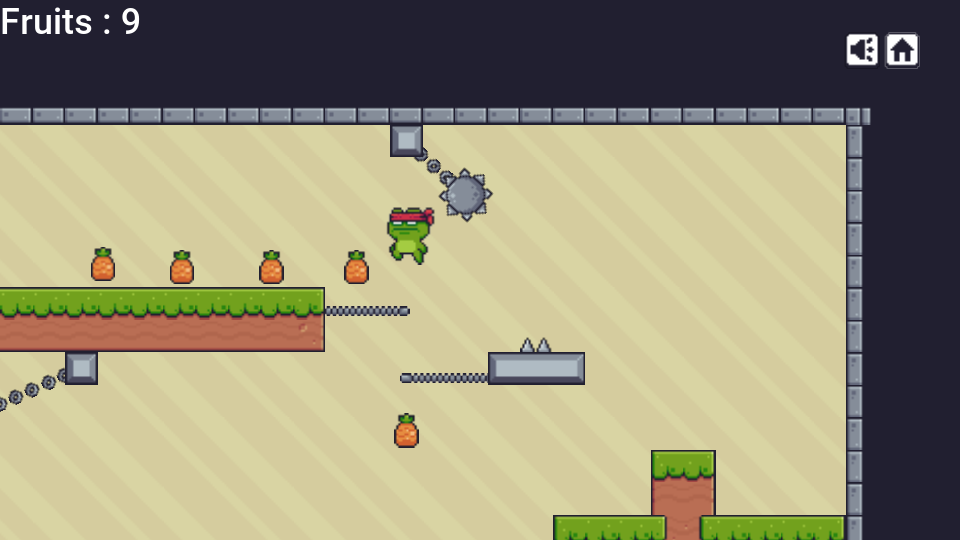
No Unity player and no .NET runtime ship with the application. Scripts become
ordinary classes, scenes and prefabs become generated code that creates their
objects, and a runtime that implements the UnityEngine API draws the game
into a Codename One component.
That component is the point. The game sits on a Codename One form, inside a Codename One application, so the same project can put a toolbar and a side menu around it, show a settings screen or a store, and use sign-in, in-app purchase, push, advertising and sharing from one Java codebase on every target. Scripts and Java call each other; Using Codename One from your game shows how.
The scope is 2D games built from sprites, tile maps, 2D physics, animation controllers, particle effects, a canvas interface and scripts. Five open source games run unmodified today, among them the platformer in the image above; see Games that run. Read Scope and porting notes before you plan a port.
Requirements
Besides what every Codename One project needs, a project with Unity sources needs the .NET SDK, version 6 or newer, on the machine that runs the build. The build uses its C# compiler and nothing else: no package is downloaded and no Unity installation or Unity license is needed.
The build looks for the dotnet command in this order:
The
cn1.unity.dotnetproperty, which names the command or its directory.The
DOTNET_ROOTenvironment variable.The
PATH.
dotnet --list-sdks
mvn package -Dcn1.unity.dotnet=/opt/dotnet/dotnet
A project with no Unity sources doesn’t need the SDK. An unchanged Unity project isn’t compiled again, so only the builds that follow a change to a script or an asset use it.
The Unity project must store its assets as text, which is the default in
current Unity versions (Edit > Project Settings > Editor > Asset
Serialization > Force Text). The
build reads scenes, prefabs and .meta files as the YAML text Unity writes in
that mode.
Quick start
Create a Codename One application project (for example from the initializr), then import the Unity project into it:
mvn cn1:import-unity-project -Dsource=/path/to/MyUnityGame
Then run and build as usual:
mvn cn1:run
mvn cn1:build -Dcodename1.platform=ios
The next section walks through the same steps and what each one prints.
Porting a project, step by step
1. Import the project
Run cn1:import-unity-project from the root of the Codename One project and
point -Dsource at the directory that holds Assets and ProjectSettings.
The goal does four things:
Copies
AssetsandProjectSettingsintocommon/src/main/unity. It leaves out what the Unity editor derives from them (Library,Temp,obj) and the version control directories.Adds the
codenameone-unity-compatruntime and thecompile-unitygoal to thecommonmodule’spom.xml.Rewrites the Codename One main class so that it starts the game. The previous class is kept beside it with a
.pre-unity-importsuffix.Prints what it copied, and lists every file the build won’t use. A compiled plugin shows up here as
not built: Assets/Plugins/Foo.dll
(compiled code: only C# source is translated)
.
The copy mirrors the Unity project. Keep editing the game in Unity and run the import again: it replaces the files it copied, removes the ones the Unity project no longer has, and leaves alone both the files you added by hand and a main class you changed since the last import.
You can also copy the files by hand. The directory mirrors the root of a Unity project:
common/src/main/unity/
    Assets/            scripts, scenes, prefabs, sprites and their .meta files
    ProjectSettings/   the input axes, tags, layers and physics settings
Keep the .meta files. Unity identifies an asset by the identifier in its
.meta file, and that’s how a scene finds the sprite or the script it refers
to.
2. Run the first build
Build the project. This is the step that needs the .NET SDK:
mvn package
The build compiles the scripts, translates them and compiles the scenes. A
project inside the supported surface ends with the line Compiled the Unity
project. A script that uses an API outside the surface stops the build here
with the script file, the line and the name of the missing member, so the list of
changes a port needs is in front of you after the first build rather than
after the first crash. Troubleshooting shows
both forms of that message.
3. Read the build report
The translator and the scene compiler report everything they left out or
approximated. Maven and Gradle print each line in the build output, prefixed
src/main/unity::
A warning names something that changes how the game behaves or looks: a component the runtime doesn’t have, a perspective camera made orthographic, a sprite a scene refers to that isn’t under
Assets, a script method Unity would call and the runtime doesn’t. The build log shows these at warning level, and the last line counts them:Compiled the Unity project with 2 warning(s): what they name will not behave as it does in Unity.A note names something left out that doesn’t change the game, or a substitution you might want to know about. Maven shows notes at info level.
A line about a scene names the scene or prefab file, the GameObject and the
component’s file ID, the number after the & in the scene’s YAML. A warning
about a script names the class, the method, the file and the line. This is the
complete report of the Sokoban game from
Games that run, seven notes and no warnings, shown
without the prefix:
Sokoban.unity: the FlareLayer component of GameObject 'Camera with script' (component file ID 1187623029) was left out; nothing in a 2D scene is drawn through it
Sokoban.unity: the GUILayer component of GameObject 'Camera with script' (component file ID 1187623030) was left out; nothing in a 2D scene is drawn through it
Sokoban.unity: the StandaloneInputModule of GameObject 'EventSystem' (component file ID 1460168504) was left out; the event system beside it routes the pointer to the controls itself, and nothing moves between controls by keyboard
Hero.png is a polygon sprite: it was cut to its outline when the project was built, into unity-polygon-Hero.png (256 by 256 pixels), and is drawn as that image
Ball.png is a polygon sprite: it was cut to its outline when the project was built, into unity-polygon-Ball.png (256 by 256 pixels), and is drawn as that image
Sokoban.unity: the image of GameObject 'RestartButton' (file ID 1532672074) uses Unity's built-in interface sprite 10905, which is not in the project; a plain rectangle of the image's colour is drawn instead
the input settings define joystick axes; those read as zero, and the keys of the same axes work
The full output of each tool is in common/target/unity:
less common/target/unity/dotnet.log
less common/target/unity/translate.log
less common/target/unity/scene-compiler.log
4. Run in the simulator
mvn cn1:run opens the game in the Codename One simulator. It shows the
first scene of the Unity build settings in a form that fills the screen. If
the build settings list no scene, every scene under Assets is compiled in
order of path and the first one starts.
The simulator has a keyboard, so a game written for the desktop plays as it
is. Keys reach Input under Unity’s key codes, the arrow keys drive the
default Horizontal and Vertical axes beside WASD, and the pointer is the
mouse.
5. Plan the input for a phone
Touches reach a script two ways. Input.touchCount, Input.touches and
Input.GetTouch report every finger on the screen with its phase, so a game
written for touch plays as it is. The first finger also reads as mouse
button 0, with Input.mousePosition at the touch, and canvas buttons respond
to it. A game played with the mouse or with canvas buttons therefore needs
nothing more on a phone.
A script that shows its touch controls only on a handheld can keep asking
Application.isMobilePlatform, which is true on iOS and on Android. In a
browser, ask Input.touchSupported instead: it reports whether the device has
a touch screen, which is the question on a phone’s browser and a laptop’s
alike.
A game played with keys needs a way to press them on a device that has none.
The game’s view accepts key events from Java code: call keyPressed and
keyReleased on it with the character of the key, and the script sees
Input.GetKey exactly as if a keyboard had sent it. Add Codename One buttons
around the game for that, as
Using Codename One from your game
describes.
6. Build for a device
Device builds are ordinary Codename One builds. Nothing about them is specific to Unity sources:
mvn cn1:build -Dcodename1.platform=android
mvn cn1:build -Dcodename1.platform=ios
mvn cn1:build -Dcodename1.platform=javascript
7. Iterate
After a change to a script, a scene or an asset, build again. The build
fingerprints Assets and ProjectSettings and repeats the C# compile, the
translation and the scene compile only when one of those files changed. A
change to your Java code alone doesn’t run the .NET SDK.
To leave the Unity project out of one build, set cn1.unity.skip. The classes
an earlier build produced stay in place:
mvn package -Dcn1.unity.skip=true
Using Codename One from your game
The game isn’t the whole application. It’s one component, a UnityGameView,
on a Codename One form, in an application whose main class is Java. The rest
of this guide therefore applies to the same project and reaches every target
the game does: the user interface toolkit and its themes, sign-in, in-app
purchase, push, advertising, sharing, storage, and networking.
Code travels in three directions, and this section takes them in turn:
Codename One around the game: forms, a toolbar, a side menu and other screens, written in Java.
Java calling the game: reading a score, or restarting a level.
The game calling Codename One: a script that asks to sign in, to share a result or to open a leaderboard.
The samples are one small application. Its Unity project has two scripts besides the game’s own, and its Java side is two classes.
The entry point
The import writes a main class that extends
com.codename1.unitycompat.app.UnityApplication. A project that has no main
class of its own gets the same class generated by the build. This is the whole
class, for an application whose main class is com.example.mygame.MyGame:
package com.example.mygame;

public class MyGame extends com.codename1.unitycompat.app.UnityApplication {
    @Override
    protected void installProject() {
        com.codename1.generated.unity.UnityAppImpl.install();
    }
}
installProject is the one method you must have. It names the class the
scene compiler generated, in source, because a device build has no reflection
to find it by name. UnityApplication gives you more places to work from, in
the order they’re called:
onProjectInstalled()runs once the project is installed and before the first scene is built, so before the firstAwakeof any script.createForm(UnityGameView gameView)returns the form the game is shown in.onStarted(Form gameForm, UnityGameView gameView)runs once, after the first scene is loaded and the game loop runs.getForm()andgetView()return the same two objects later.callInFrame(Runnable)is static, and runs your code inside the game’s frame. Calling the game from Java explains when you need it.
Codename One screens around the game
Override createForm to decide what surrounds the game. The default returns a
form with a BorderLayout, a hidden title area and the view in the center.
Return your own form instead; the one rule is that it must contain the view.
This main class gives the game a title bar with a leaderboard command, a side
menu with a Restart command and a score label under the playfield:
public class MyGame extends UnityApplication {
    private final GameServices services = new GameServices(this);
    private final Label scoreLabel = new Label("Score 0");

    @Override
    protected void installProject() {
        UnityAppImpl.install();
    }

    @Override
    protected void onProjectInstalled() {
        // No scene is built yet: every Awake and Start finds this set.
        Platform.Services = services;
    }

    @Override
    protected Form createForm(UnityGameView gameView) {
        Form form = new Form(new BorderLayout());
        Toolbar toolbar = new Toolbar();
        form.setToolbar(toolbar);
        form.setTitle("My Game");
        form.setScrollable(false);
        toolbar.addMaterialCommandToRightBar("", FontImage.MATERIAL_LEADERBOARD,
                e -> callInFrame(() -> services.ShowLeaderboard(score().get_Best())));
        toolbar.addMaterialCommandToSideMenu("Restart", FontImage.MATERIAL_REPLAY,
                e -> callInFrame(() -> score().points = 0));
        form.add(BorderLayout.CENTER, gameView);
        form.add(BorderLayout.SOUTH, scoreLabel);
        return form;
    }

    @Override
    protected void onStarted(Form gameForm, UnityGameView gameView) {
        // Twice a second: read the score inside the frame, show it on the
        // event dispatch thread.
        UITimer.timer(500, true, gameForm, () -> callInFrame(() -> {
            int points = score().points;
            CN.callSerially(() -> {
                scoreLabel.setText("Score " + points);
                gameForm.revalidate();
            });
        }));
    }

    // Only ever called inside the frame.
    private static Score score() {
        return (Score) GameObject.Find("Ball").GetComponent(Score.class);
    }
}
UnityGameView is in com.codename1.unitycompat.unityengine.ui. It extends
the GameView of the com.codename1.gaming package, so it sizes and lays out
like any other component. Here it takes the center of a BorderLayout, and
the game draws into whatever size the layout gives the view.
Everything around the view is ordinary Codename One user interface. The
toolbar, the side menu and the label take their look from the application’s
theme, so you style them in theme.css as
Working with CSS themes describes, and
Toolbar covers the commands, the search field and the side menu.
The theme doesn’t reach inside the view: what the game draws is the game’s
own.
Another form, and back to the game
A settings screen, a store or a leaderboard is a second form. Pause the view
before you show it and resume the view when the player returns. A paused view
runs no script and advances no game time; it keeps its last frame. Scripts
that declare OnApplicationPause or OnApplicationFocus are told of both:
final class GameServices implements IPlatformServices {
    private final UnityApplication app;

    GameServices(UnityApplication app) {
        this.app = app;
    }

    // Scripts call these inside a frame, which isn't always on the event
    // dispatch thread. Each one hands its work to that thread.

    @Override
    public void SignIn() {
        CN.callSerially(() -> {
            if (Preferences.get("player", null) != null) {
                return;
            }
            GoogleConnect.getInstance().signIn(
                    "YOUR_CLIENT_ID.apps.googleusercontent.com",
                    "com.example.mygame:/oauth2redirect",
                    "openid", "email"
            ).ready(tokens -> Preferences.set("player", tokens.getEmail()));
        });
    }

    @Override
    public void Share(String text) {
        CN.callSerially(() -> CN.share(text, null, null));
    }

    @Override
    public void ShowLeaderboard(int score) {
        CN.callSerially(() -> showLeaderboard(score));
    }

    private void showLeaderboard(int score) {
        app.getView().pause();
        Form board = new Form(BoxLayout.y());
        Toolbar toolbar = new Toolbar();
        board.setToolbar(toolbar);
        board.setTitle("Leaderboard");
        board.add(new Label("Your best: " + score));
        toolbar.setBackCommand("", e -> {
            app.getForm().showBack();
            app.getView().resume();
        });
        board.show();
    }
}
showLeaderboard at the end of the class is the part that matters here: it
pauses the view, shows a form with a back command, and the back command shows
the game’s form again and resumes.
UnityApplication already pauses the game when the application goes to the
background and resumes it on return, so no frame is simulated while nobody
sees it and Time.time doesn’t jump. A script that calls Application.Quit()
exits the application.
Stepping the game by hand
A test that captures a scene, or a tool that renders one, needs the same
picture on a fast device and on a slow one. The view normally simulates the
time that passed since its last frame, so the picture depends on how fast the
frames came. gameView.holdClock() takes the clock away from the game: a
frame then simulates nothing and draws the scene as it stands.
gameView.advance(90, 1f / 60) asks for 90 steps of a sixtieth of a second
each, and the next frame the view draws runs every one, however long that
frame took. framesAdvanced() grows by the number of steps once they’ve been
run and the scene shows the last of them, which is the moment to capture.
releaseClock() hands the clock back.
A view whose clock is held takes no input: keys and touches that arrive are
dropped, so nothing but the steps you ask for moves the scene. Calls queued
with callInFrame still run.
To show one scene of a project by itself, start the runtime with
UnityRuntime.begin(index) where UnityApplication calls begin(). The index is the
scene’s place in the build settings. UnityRuntime.reset() takes everything
down again, the objects, the clock and the application’s settings, so the next
scene starts from nothing. Call Random.InitState before begin when the
scene has particle systems or scripts that ask for random numbers.
On-screen controls
For a game that reads keys, add buttons in createForm and forward their
press and release to the view. gameView.keyPressed('a') followed by
gameView.keyReleased('a') is one tap of the A key, and the script’s
Input.GetKey(KeyCode.A) is true from one call to the other. Letters, digits and the space
character are passed as themselves. For the arrow keys pass the key code of
the matching game action, which Display.getInstance().getKeyCode(Display.GAME_LEFT)
returns. The view queues these calls and hands them to the game at the start
of its next frame, so a button’s listener makes them directly.
Calling the game from Java
A translated script is an ordinary class, and Java code in the same module
calls it by name. A script with no namespace is in the package global; a
script in a namespace is in the package of that name. This is the script the
samples read:
public class Score : MonoBehaviour
{
    public int points;

    public int Best { get; private set; }

    public void Add(int amount)
    {
        points += amount;
        if (points > Best)
        {
            Best = points;
        }
    }

    public Vector2 Where()
    {
        return transform.position;
    }

    private void Start()
    {
        Platform.Services?.SignIn();
    }

    private void OnApplicationPause(bool paused)
    {
        Debug.Log("score paused=" + paused);
    }

    private void Update()
    {
        if (Platform.Services == null)
        {
            return;
        }
        if (Input.GetKeyDown(KeyCode.L))
        {
            Platform.Services.ShowLeaderboard(Best);
        }
        if (Input.GetKeyDown(KeyCode.S))
        {
            Platform.Services.Share("I scored " + Best);
        }
    }
}
And this is Java finding it and reading it, in code that runs inside a frame:
// Inside a frame: in a Runnable given to callInFrame, or in a
// method a script called.
// By the name of its object, then by the script's class.
Score score = (Score) GameObject.Find("Ball").GetComponent(Score.class);
// Or the first one in the scene, whatever object it is on.
Score first = (Score) com.codename1.unitycompat.unityengine.Object
        .FindObjectOfType(Score.class);

int points = score.points;                   // public int points;
int best = score.get_Best();                 // public int Best { get; }
Vector2 where = score.Where(new Vector2());  // public Vector2 Where()
float height = where.y;
The rules a Java author needs:
Finding an object.
GameObject.Findtakes the object’s name and returnsnullwhen the scene has none.GetComponentandFindObjectOfTypetake the script’s class where C# takes a type argument, and return anObjectto cast. The engine’s classes are incom.codename1.unitycompat.unityengine; its ownObjectclass shares a name withjava.lang.Object, so write that one in full.When. A scene’s objects exist once the scene is loaded, so from
onStartedon. A scene load replaces them, apart from the ones a script kept withDontDestroyOnLoad, so find an object again after one.Fields and methods keep their C# names, capitals included.
Properties are a pair of methods:
Bestisget_Best()andset_Best(int).Types.
int,floatandboolareint,floatandboolean. Astringis ajava.lang.String. An enumeration is anint. A C# array of those is the Java array. AList<T>is acom.codename1.unitycompat.system.collections.generic.List_1, without its type argument.Value types.
Vector2,Vector3,Colorand the otherUnityEnginevalue types are classes of the Java packageUnityEngine, with their fields public. A method that returns one takes an extra last argument, the object the result is written into:Where()in C# isWhere(new Vector2())in Java.Access. The translated members are all public. A member the script declared private isn’t part of what the script offers; leave it alone.
One rule covers threads. Scripts run inside the game’s frame, on the thread that draws it, and on some ports that isn’t the event dispatch thread your listeners run on. So:
Touch game objects and scripts inside
callInFrame.Touch Codename One components on the event dispatch thread.
callInFrame(Runnable) runs the code at the start of the next frame, before
any script. It’s a static method of UnityApplication, and the view has the
same method. Calls run in the order they were made, and they run while the
view is paused too. The main class above uses it three times. The Restart
command sets a field of the script. The leaderboard command reads the best
score and hands it on. The timer reads the points inside the frame and then
passes the number to CN.callSerially, which sets the label on the event
dispatch thread.
Code that a script calls is already inside the frame, and may use any script directly.
Calling Codename One from the game
A script compiles against the UnityEngine API and the .NET base library, so
it can’t name a Java class. It can name an interface of its own. Declare, in
the Unity project, what the game needs from the application, and a static
field to hold the object that provides it:
// What the game asks of the application around it. The game compiles
// against this interface alone; the application supplies the object.
public interface IPlatformServices
{
    void SignIn();
    void Share(string text);
    void ShowLeaderboard(int score);
}

public static class Platform
{
    public static IPlatformServices Services;
}
The interface is translated with the scripts and becomes the Java interface
global.IPlatformServices. Implement it in Java, with the whole Codename One
API at hand. GameServices, shown earlier, is that implementation: SignIn
uses GoogleConnect, Share opens the platform’s share sheet through
CN.share and ShowLeaderboard shows a form.
Three things make the bridge work:
Register it before the first scene loads. The main class assigns
Platform.ServicesinonProjectInstalled. EveryAwakeandStartthen finds it set;ScorecallsSignIn()from itsStart.Hand the work to the event dispatch thread. A script calls the interface from inside a frame. Each method wraps what it does in
CN.callSerially, and returns at once so the frame isn’t held up.Keep the interface to simple types.
int,float,boolandstringcross unchanged. A method that returns a value answers on the game’s thread: return something the application already holds, and don’t touch a component there.
The script side stays plain C#. Platform.Services?.Share("I scored " + Best)
does nothing when no object is registered, so the scripts don’t depend on the
application being there.
From the Java side of that interface the whole platform is in reach:
Sign-in with Google, Apple, Facebook, Microsoft or any OpenID Connect provider: Authentication and Identity.
In-app purchase and subscriptions through
Purchase: In-app purchase.Advertising, including rewarded and interstitial formats between levels: Advertising.
Push notifications: Push notifications.
Sharing a score or a screenshot:
CN.share, or the ShareButton component.Storage and networking for saved games and online scores:
Preferences, Storage andConnectionRequest.Anything a platform SDK offers that Codename One doesn’t wrap: native interfaces.
PlayerPrefs needs no bridge. The runtime keeps it in Codename One’s
Preferences storage, so a high score outlives the application on every
target.
How the build works
A single step runs as part of the normal build of the common module:
compile-unity, in generate-sources. It does three things:
The .NET SDK compiles every
.csfile underAssetsto one assembly, with the language level set to C# 9. It leaves out the scripts in anEditordirectory, as Unity leaves them out of a player build. The scripts compile against aUnityEngineassembly that ships with the runtime, so a script that uses aUnityEnginemember the runtime doesn’t have fails here, with the C# compiler’s own file and line.The translator reads the assembly and writes Java class files, one class for each C# type. A type in a namespace lands in the package of the same name. A type with no namespace, which is what most Unity scripts are, lands in the package
global, because a Java class in the default package can’t be imported. The translator also checks every call into the .NET base library against the runtime and lists the members the runtime lacks.The scene compiler turns every scene and prefab into Java source: a generated class,
com.codename1.generated.unity.UnityAppImpl, that creates the objects withnew, assigns the values the Inspector stored and connects the references. It copies the sprites, sounds and text assets next to it.
Nothing is created by reflection and no scene file is parsed on the device. That’s what lets the same code run on iOS and in the browser, where the translated application keeps only the code something refers to. Three things Unity resolves by name at run time are resolved by the build instead:
Invoke("Fire", 1f)andInvokeRepeatingcall a dispatcher the translator writes into each script, which maps the method names of that script to calls.A button’s persistent
onClickcalls, the ones set up in the Inspector, become direct calls in the generated scene code.Resources.Load("level1")is a lookup the scene compiler writes from the files it found under theResourcesfolders. The asset is already part of the application when a script asks for it.
Two representations are worth knowing as a script author:
Value types keep C#'s copy semantics.
Vector2,Vector3,Quaternion,Color,Boundsand your own structs are copied on assignment and when passed, exactly as C# specifies. Arithmetic on them writes into storage the caller owns instead of allocating an object for each result, so vector math inUpdatedoesn’t produce garbage.A rectangular array is one flat array.
int[,]and arrays of higher rank are stored as a single array with every index checked against its own dimension. A tile grid costs one allocation and each access is one multiply and one add.
The codenameone-unity-compat dependency is added to the common module by
the project’s unity-compat profile, which activates when src/main/unity
exists.
Gradle projects
A Gradle project builds a Unity project the same way. The plugin sees
src/main/unity, adds the codenameone-unity-compat runtime to the
application and runs a compileUnity task before the Java sources compile, so
there is no dependency to declare and no task to call. A Maven project that
has a Unity project keeps it when you convert it with cn1:convert-to-gradle.
The import is a Maven goal. In a project that was created for Gradle, copy
Assets and ProjectSettings into src/main/unity by hand. Then either
delete the main class the project came with, and the build generates one that
starts the game, or change it as The entry point
describes.
Name the .NET SDK with -Pcn1.unity.dotnet when it isn’t on the PATH:
./gradlew run
./gradlew buildIos -Pcn1.unity.dotnet=/opt/dotnet/dotnet
Gradle skips compileUnity as up to date while the Unity project is
unchanged. To leave the Unity project out of one build, exclude the task with
-x compileUnity; the classes an earlier build produced stay in place. The
work files and the logs of the C# compiler, the translator and the scene
compiler are in build/cn1-unity/state/unity.
What a project can use
This is the surface the five games in the next sections were built on. It covers what a 2D game with sprites, tile maps, physics, animation and a canvas interface is made of.
C# and the base library
The language as Unity projects use it: classes, structs, interfaces, enums, generics, delegates and events, lambdas and closures, iterators,
foreach,refandoutparameters,switchon strings and switch expressions, tuples, string interpolation, exceptions, properties, indexers and operator overloading.Strings: concatenation,
Formatwith plain{0}items,Join,Spliton characters or on strings with or withoutStringSplitOptions,Substring,IndexOf,Contains,StartsWith,EndsWith,Replace,Trim, and the invariant case conversions.Numbers:
int.Parse,int.TryParse,System.MathandMathf.List<T>andDictionary<K,V>. A dictionary enumerates in insertion order and hasTryGetValue,ContainsKey,Remove,Keys,Valuesandforeachover its pairs.Arrays, including rectangular arrays of any rank with
GetLength.The
ActionandFuncdelegates and these LINQ operators:Where,Select,Any,All,Count,Contains,First,FirstOrDefault,Last,LastOrDefault,ElementAt,Take,Skip,Distinct,Concat,Reverse,ToListandToArray.
The script below uses several of these together: a level read from a text
asset in a Resources folder into a two-dimensional array, with the tiles it
creates tracked in a dictionary. It builds as written.
using System;
using System.Collections.Generic;
using UnityEngine;

public class Board : MonoBehaviour
{
    public GameObject tilePrefab;

    private int[,] cells;
    private readonly Dictionary<GameObject, Vector2> tiles = new Dictionary<GameObject, Vector2>();

    void Start()
    {
        TextAsset level = Resources.Load<TextAsset>("level1");
        string[] rows = level.text.Split(new[] { '\n' }, StringSplitOptions.RemoveEmptyEntries);
        cells = new int[rows.Length, rows[0].Split(',').Length];
        for (int r = 0; r < cells.GetLength(0); r++)
        {
            string[] columns = rows[r].Split(',');
            for (int c = 0; c < cells.GetLength(1); c++)
            {
                int.TryParse(columns[c], out cells[r, c]);
                if (cells[r, c] != 0)
                {
                    GameObject tile = Instantiate(tilePrefab, new Vector3(c, -r, 0), Quaternion.identity);
                    tiles[tile] = new Vector2(c, r);
                }
            }
        }
        PlayerPrefs.SetInt("lastLevel", 1);
    }
}
Scripts and objects
MonoBehaviourwith these messages:Awake,OnEnable,Start,FixedUpdate,Update,LateUpdate,OnDisable,OnDestroy, and the 2D collision and trigger messages (OnCollisionEnter2D,OnCollisionStay2D,OnCollisionExit2Dand the threeOnTriggerequivalents).OnMouseDownandOnMouseUpon an object with a 2D collider, with the pointer placed in the world by the main camera.OnApplicationPause(bool)andOnApplicationFocus(bool)when the game is paused and resumed.Coroutines with
yield return null,WaitForSeconds,WaitForEndOfFrameandWaitForFixedUpdate, aStartwritten as a coroutine,StopCoroutineandStopAllCoroutines.Invoke,InvokeRepeating,CancelInvokeandIsInvoking.GameObjectandTransformhierarchies,Instantiatewith or without a position, a rotation and a parent,Destroywith an optional delay,SetActive, tags and layers,Find,FindWithTag,FindGameObjectsWithTag,FindObjectOfType,AddComponent, andGetComponentwith itsInChildrenandInParentforms.Serialized fields of scripts, as the Inspector stored them: numbers, strings, enums, vectors, colors, arrays and lists, structs, and references to objects, components, prefabs, sprites, audio clips and text assets.
Prefabs, prefab instances placed in a scene with their property overrides, and nested prefabs.
SceneManager.LoadSceneby name or by build index,TimewithtimeScaleandtimeSinceLevelLoad,Random,Screen.widthandScreen.height,Debug.Logand its warning and error forms, andUnityEngine.Assertions.Assert.Application.platformandApplication.isMobilePlatform, answered from the device the game runs on:IPhonePlayeron iOS,Androidon Android,WebGLPlayerin a browser, and the desktop’s own player on macOS, Windows and Linux. The simulator reports the desktop it runs on.
Rendering
SpriteRendererwith sorting layers and orders, flipping and tinting.Sprites imported as single images, sprite sheets sliced in the Sprite Editor, pivots and pixels per unit. A polygon sprite is cut to its outline when the project is built and drawn as that image.
An orthographic
Camerawith its background color and the conversions between screen, viewport and world points.
Animation
Animatorwith the controllers and clips of the project. The build compiles each.controllerand.animfile into code, so nothing is parsed on the device.State machines with float, integer, bool and trigger parameters, transitions with conditions and exit time, and transitions from Any State.
Curves that animate a sprite renderer’s sprite, color and enabled flag, a transform’s position, scale and rotation about z, and whether a GameObject is active.
Animation events, which call the method they name on the scripts of the animated object.
From a script:
Play,CrossFade,SetFloat,SetInteger,SetBool,SetTrigger,ResetTriggerand their getters,speed,GetCurrentAnimatorStateInfo,IsInTransition,StringToHash, and assigningruntimeAnimatorControllerto swap the controller.
Tile maps
Grid,TilemapandTilemapRenderer, with the cells the Tile Palette painted.TilemapCollider2D, alone or merged into outlines by aCompositeCollider2D.From a script:
GetTile,SetTile,HasTile,GetSprite,ClearAllTiles,WorldToCell,CellToWorldandGetCellCenterWorld.
Particles
ParticleSystem, simulated on the CPU from a seeded sequence, so an effect plays the same way on every target.The main module, emission by rate and in bursts, the emitter shape, and the velocity, color, size and rotation over lifetime modules, as the scene stores them.
From a script:
Play,Stop,Pause,ClearandEmit, the playing state andparticleCount, and themain,emissionandvelocityOverLifetimemodules.
Physics
Rigidbody2D: dynamic, kinematic and static bodies, velocity, forces and torques,MovePositionandMoveRotation, mass, drag, gravity scale,constraintsandcollisionDetectionMode.Box, circle, polygon, capsule and edge colliders, tile map and composite colliders, triggers, and
Collision2Dwith its contacts.PlatformEffector2Dfor one-way platforms.Physics materials (friction and bounciness), the project’s gravity and the layer collision matrix, with
Physics2D.IgnoreLayerCollisionto change it from a script.Casts:
Physics2D.Raycast,Linecast,CircleCast,BoxCastandCapsuleCast. Each has the form that returns the nearest hit, theAllform, theNonAllocform and the form that takes aContactFilter2Dwith an array or a list for the results.Overlap tests:
OverlapPoint,OverlapCircle,OverlapBox,OverlapAreaandOverlapCapsule, in the same four forms.RaycastHit2D,ContactFilter2DandLayerMask, including aLayerMaskfield set in the Inspector, withPhysics2D.queriesHitTriggers,queriesStartInCollidersandSyncTransforms.On a collider or a body:
OverlapPoint,IsTouching,IsTouchingLayersandCast, andCollider2D.bounds.
A cast isn’t stepped along its path. The runtime solves each one in closed
form, so the distance, the normal and the point it reports are exact to the
rounding of the arithmetic, and a fast or thin shape can’t slip past a
collider. A query sees bodies where the last physics step put them; call
Physics2D.SyncTransforms after a script moves a transform and before it
asks.
Input
GetKey,GetKeyDownandGetKeyUpbyKeyCodeor by name,anyKeyandanyKeyDown.The axes and buttons the project’s input settings define on keys, through
GetAxis,GetAxisRawandGetButton.The mouse:
GetMouseButton,GetMouseButtonDown,GetMouseButtonUpandmousePosition, and theMouse XandMouse Yaxes for its movement.Touch:
touchCount,touchesandGetTouch, with aTouchthat carries itsfingerId,position,deltaPosition,tapCountand aphaseofBegan,Moved,StationaryorEnded.multiTouchEnabledandsimulateMouseWithToucheswork as documented.
User interface, audio and data
A
Canvasin Screen Space, overlay or camera, with aCanvasScalerandRectTransformanchoring.Textwith size, style, alignment, wrapping and best fit.TextMesh Pro text, as
TMP_Text,TextMeshProandTextMeshProUGUI:text,SetText, size, style, alignment, wrapping and auto sizing, drawn in the platform’s font.Image, simple or filled horizontally or vertically (fillAmountdrives a health bar).Buttonwith its color tint states, theonClickcalls set up in the Inspector, andonClick.AddListenerfrom a script.AudioSourceandAudioClip, played through Codename One’s media API:Play,PlayOneShot,Stop,Pause,loop,volumeandPlayClipAtPoint.PlayerPrefsfor integers, floats and strings, saved on the device.Resources.Loadfor text assets, images imported as one sprite, audio clips and prefabs, andTextAssetwithtextandbytes.
Follow cameras
Cinemachine’s
CinemachineBrainandCinemachineVirtualCamerawith aCinemachineFramingTransposeror aCinemachineTransposerbody: a camera that follows its target with the offset, damping, dead zone and soft zone the scene sets.Several virtual cameras by priority, with a cut from one to the next, and
Followassigned from a script.
The same game on every target
Arithmetic on float gives the same result on every target, and
UnityEngine.Random produces the same sequence from the same seed. A game
that’s given a fixed seed and the same input plays the same way in the
simulator, in a native build and in the browser.
That takes work in two places, because the targets don’t agree by default.
The C compiler that builds the iOS and desktop binaries may fuse a multiplication
and an addition into one instruction that rounds once instead of twice, so the
native builds turn that contraction off. A JavaScript number is a double, so
on the JavaScript port every float result is rounded back to single
precision before it’s used.
The evidence is a trace comparison. Each game in the next section was run from a fixed seed with scripted input on three targets: a JVM, the C code ParparVM generates, and the JavaScript port under Node.js. Each run wrote a trace of the game’s log lines, its object counts and its draw list, with positions in hundredths of a pixel and rotations in hundredths of a degree. The three traces of each game are byte for byte the same: 3,503 lines for Fruitopia, 220 for Asteroids, 852 for Pong, 244 for Snake and 445 for Sokoban. Fruitopia’s run goes through its menu and its lobby, plays a level to the flag and returns to the lobby, 1,400 frames of animation, particles, tile map collisions and a follow camera. Asteroids moves more than 1,100 objects every frame, so one differently rounded multiply shows up in its trace within a few hundred frames.
Random is seeded from the clock unless you set a seed. To make a run
repeatable, set the unity.seed display property before the game starts, for
example Display.getInstance().setProperty("unity.seed", "7") at the top of
the main class’s init method.
Games that run
Five open source Unity games build and run with no change to their scripts, scenes or assets. Each is a repository its author published under the MIT license. They aren’t part of Codename One; clone one and import it to try it.
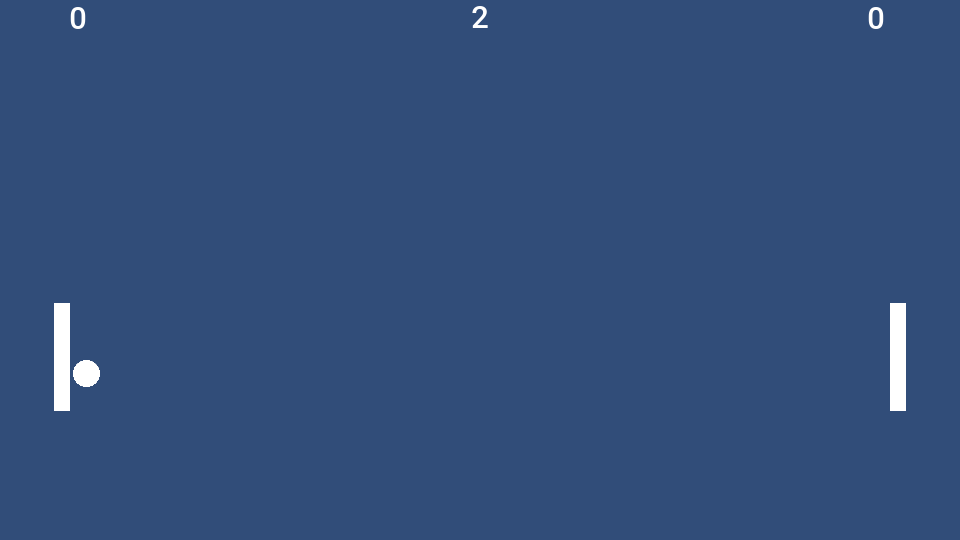
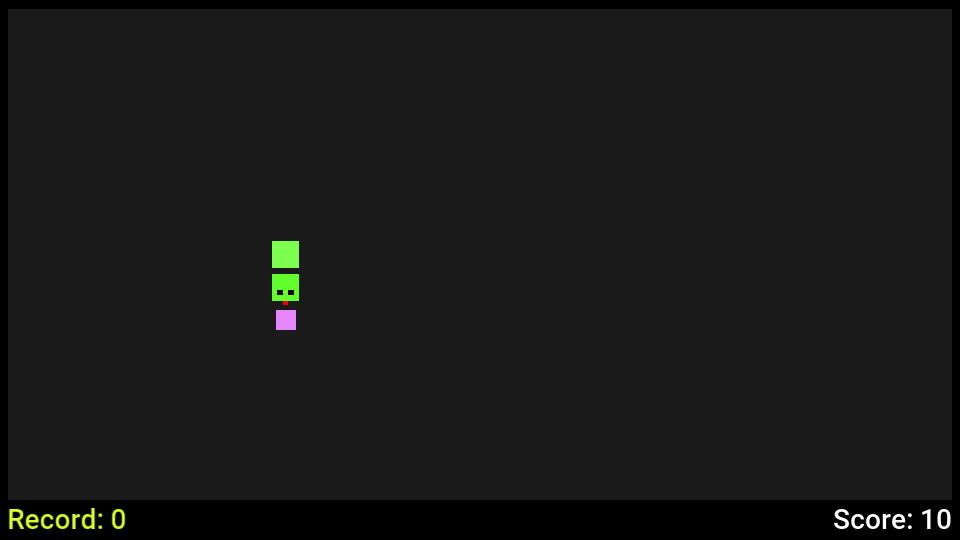
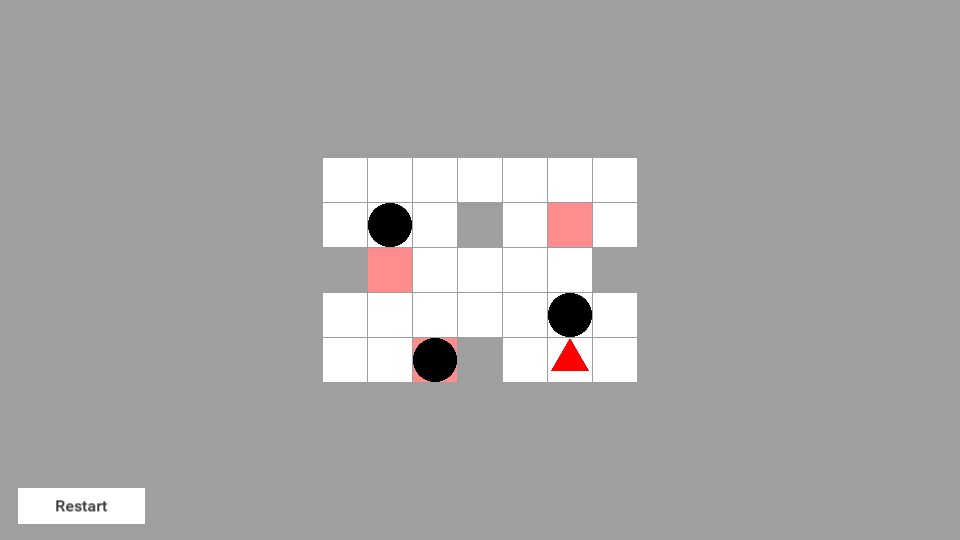
Every image in this section is a frame the Codename One runtime drew from the game’s own scenes and sprites, at 960 by 540 pixels.
Fruitopia
thisshrek/Fruitopia, MIT license,
copyright 2024 Mohamed Kharrat. Twelve scripts, 733 lines. Its art is the
Pixel Adventure set by Pixel Frog, released under CC0 and credited in the
game’s README.
A pixel-art platformer with a menu, a lobby and levels to run through:
collect the fruit, avoid the traps, reach the flag. It’s the widest test of
the five. Its levels are tile maps with composite colliders and one-way
platforms. Its hero, fruit, traps and menus are driven by 65 Animator
components that play 40 clips. The dust behind the hero is a particle
system, the labels are TextMesh Pro text, and a Cinemachine virtual camera
follows the hero. The hero moves through Rigidbody2D and finds the ground
with Physics2D.OverlapBox.
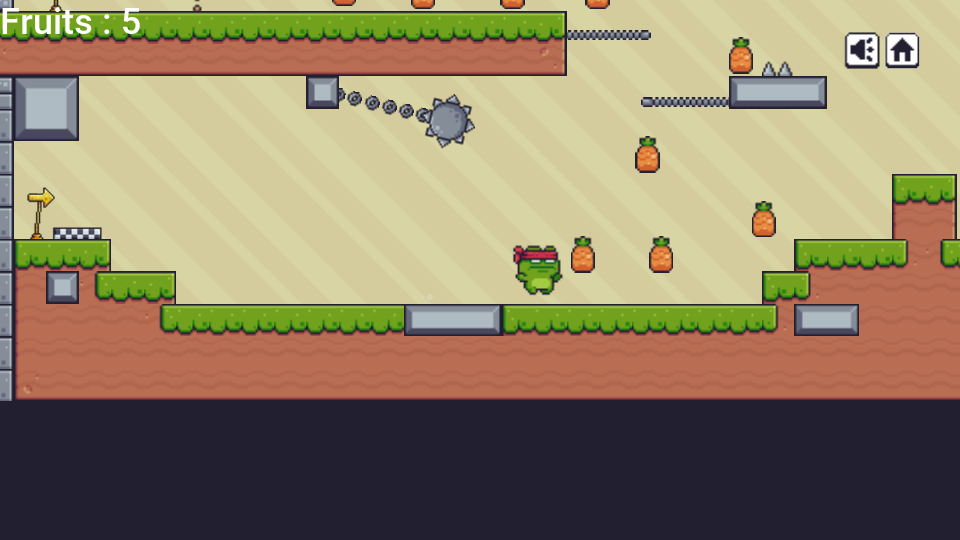
The text in these frames is in the platform’s font rather than the game’s font asset, which is how the runtime draws TextMesh Pro text.
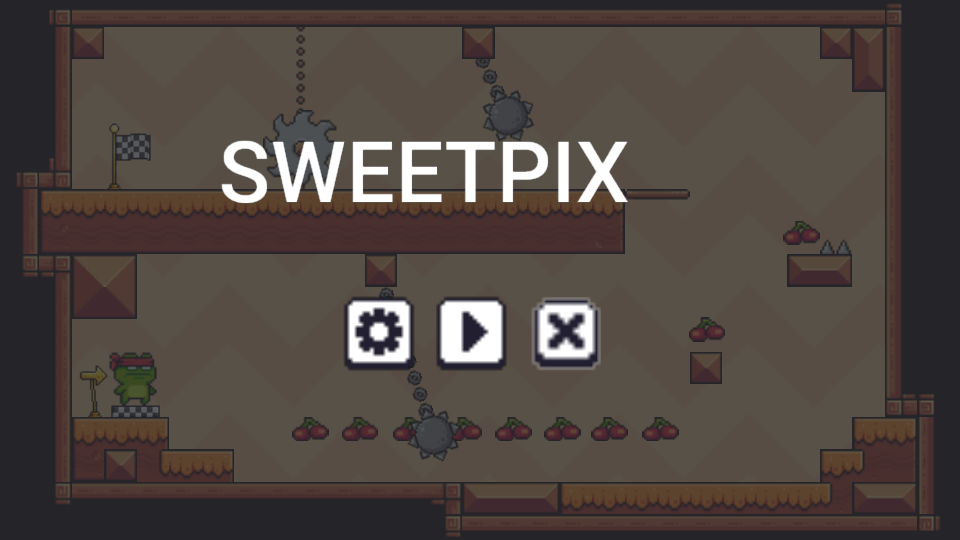
The build reports six warnings for this project, and each names something
the project itself is missing or does that Unity also drops. Two levels place
a prefab whose file isn’t in the repository, one object carries a script
that isn’t under Assets, and three objects carry a static class as a
component. The menu, the lobby and the first level play from start to finish.
Asteroids
sdxsharp/unity-asteroids, MIT
license, copyright 2022 sdxsharp. Five scripts, 546 lines, saved by Unity
2021.3.
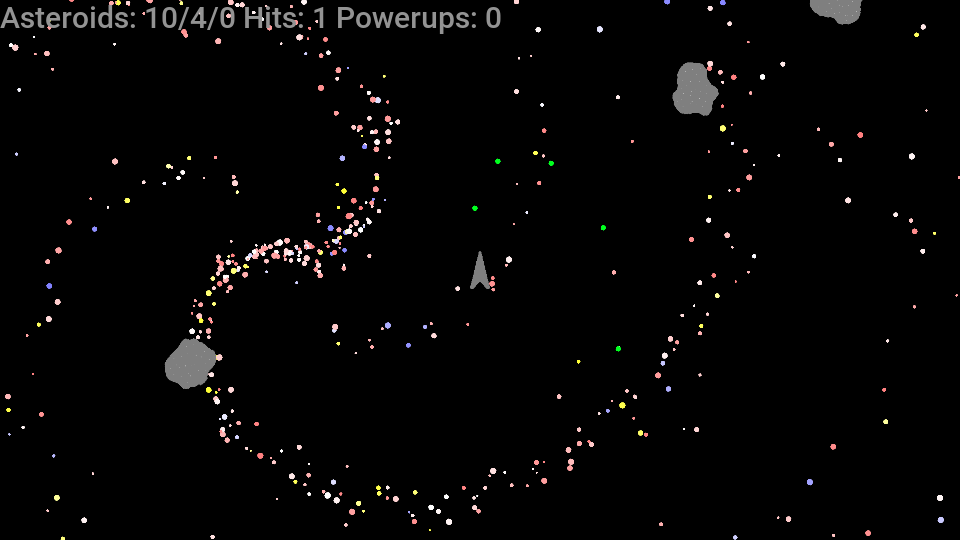
An arcade shooter that keeps between 1,157 and 1,180 objects alive, most of
them the stars of its background. It exercises rigid bodies driven by
velocity, polygon and circle colliders, collision messages, prefabs
instantiated and destroyed as the game runs, seeded Random, the input axes
and a canvas with a score line.
Pong
MalachiMackie/Unity-Pong, MIT license, copyright 2021 Malachi Mackie. Seven scripts, 557 lines, saved by Unity 2021.1.
A two-player ball game. It uses prefab instances with property overrides, physics materials for the bounce, audio clips, C# events and delegates with tuple payloads, LINQ and switch expressions.
Snake
Wesley-Oliveira/Classic-Snake-Game-Unity-2D, MIT license, copyright 2020 Wesley Oliveira. Two scripts, 184 lines, saved by Unity 2019.3.
A grid game with a menu. Its menu is canvas buttons whose onClick calls
were set up in the Inspector, its record is kept in PlayerPrefs, and the
snake moves on a coroutine that respects Time.timeScale.
Sokoban
juwalbose/UnityTileBasedSokoban,
MIT license, copyright 2017 Juwal Bose. One script, 264 lines, saved by
Unity 2017.1.
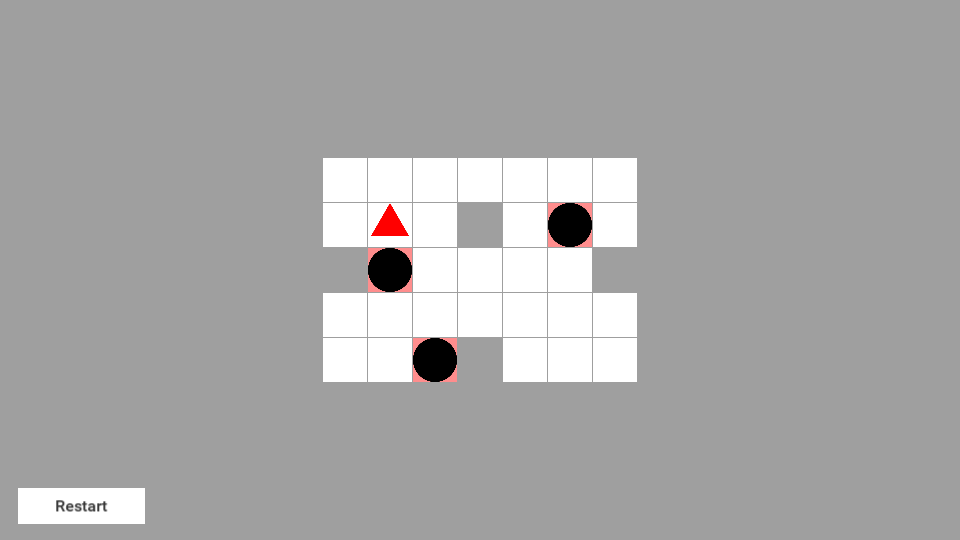
A tile puzzle. The level is a text file loaded with Resources.Load, split
and parsed into an int[,] grid, with the tile objects tracked in a
Dictionary<GameObject, Vector2>. The script creates every tile as a
GameObject with a SpriteRenderer it adds itself. The hero and the balls
are polygon sprites, and the Restart button reloads the scene through a persistent call to
SceneManager.LoadScene.
Measurements
The table covers the four smaller games above; Fruitopia follows it. The numbers measure the game and the compatibility runtime alone, in a harness that runs the game without a display: the same scripted run that produced the traces, three runs each, median reported. A shipped application adds the Codename One port for its platform on top.
| Game | Objects alive | Native executable | JavaScript, gzip | Peak memory, native |
|---|---|---|---|---|
Asteroids | 1,157 to 1,180 | 1.33 MB | 246 KB | 15.7 MB |
Pong | 13 | 1.36 MB | 244 KB | 6.2 MB |
Snake | 26 to 31 | 1.33 MB | 243 KB | 5.1 MB |
Sokoban | 40 | 1.30 MB | 241 KB | 4.8 MB |
Native executable is the stripped macOS binary of the game, the runtime and the Java class library, translated to C by ParparVM and linked with link-time optimization.
JavaScript, gzip is the script the JavaScript port loads for the same code, compressed with
gzip -9.Peak memory is the most physical memory that native executable held over an 1,800-frame run, as
/usr/bin/time -lreports it.
The translated code is small next to the runtime it runs on. Sokoban’s classes and the whole compatibility runtime pack into a 268 KB jar, of which the runtime is 252 KB. The games were measured against successive builds of the runtime, so a difference of 2% or 3% between rows isn’t significant.
Fruitopia is the largest of the five. These figures are from its scripted 1,400-frame run in the same harness. Between 59 and 80 objects are alive and each frame issues 350 to 500 draw commands.
The compatibility runtime it ships with is 382 KB. The rest of its jar is the game’s own audio.
The native executable, linked with link-time optimization and stripped, is 2.67 MB.
The JavaScript for the same code is 387 KB after
gzip -9.Peak memory over the run was about 10 MB for the native executable, about 99 MB on a JVM and about 176 MB under Node.js.
On the JVM the simulation allocated under 2 KB per frame over the whole run, three scene loads included.
On speed: Asteroids, the heaviest of the four in the table, spent under half a millisecond of CPU per frame in the native build, simulation and draw list together, on a development machine that was busy with other builds. The other three were below what the timer resolves. Treat that as an order of magnitude and measure your own game on the device you ship for.
Scope and porting notes
The compatibility layer targets 2D games built from sprites, tile maps, 2D physics, animation controllers, particles, a canvas interface and scripts. This section lists what’s outside that surface today, what the build does when it meets each item, and what to do about it.
How the build tells you
A port doesn’t fail at run time for a reason the build could have named. There are four places it speaks up:
A
UnityEnginemember the runtime doesn’t have is a C# compiler error with the file and the line.A .NET base library member the runtime doesn’t have stops the build at the translation step, with every such member listed at once and, under each, the script file, the line and the method that uses it.
A component a scene has and the runtime doesn’t is a warning that names the scene, the GameObject and the component. The component is left out and the rest of the scene still builds.
A script method Unity would call by name and the runtime doesn’t is a warning with the class, the method, the file and the line.
Rendering notes
3D. Meshes, lights, 3D physics, shaders and materials other than the default sprite material are outside the scope. Their components are left out with a warning. A perspective camera is made orthographic, and a rotation about the x-axis or the y-axis is dropped, each with a warning.
Animation controllers. The first layer of a controller is played, and the build warns when a controller has more. A state that plays a blend tree shows nothing, and a transition into a sub-state machine is left out, each with a warning. Give such a state a plain clip, or drive the blend from a script with
PlayandCrossFade. An override controller plays nothing, with a warning; assignruntimeAnimatorControllerfrom a script instead.Animated properties. A clip animates a sprite renderer’s sprite, color and enabled flag, a transform’s position, scale and rotation about z, and a GameObject’s active flag. A curve on another property is left out with a warning that names it; set that property from an animation event or from
Update.Timelines aren’t run. Sequence the same steps in a coroutine.
Particle modules. The main, emission, shape, and velocity, color, size and rotation over lifetime modules are simulated. Another module that’s switched on, such as Noise, Collision, Trails, Sub Emitters or Texture Sheet Animation, does nothing, and the build warns for each. A system that emits from a mesh, a donut or a sprite emits from its own position, one that stretches its particles or draws meshes draws plain sprites facing the camera, and a system with
Prewarmon starts empty. Of the modules a script can reach,main,emissionandvelocityOverLifetimeare in the API.Scripted tiles. A rule tile or an animated tile isn’t run. The cells a scene was painted with show the sprites the editor chose for them, and a cell a script sets with such a tile shows its default sprite, with a note. Use plain tiles for cells a script changes.
Line and trail renderers, sprite masks. The components are left out with a warning. An effect made of short-lived sprite objects that a script instantiates and destroys carries over as it is.
Sliced and tiled sprites. A nine-sliced or tiled
SpriteRendererorImagedraws its sprite stretched, with a warning. A radial fill draws whole.Built-in and package sprites. The sprites that belong to the Unity editor or to a Unity package aren’t in the project, so the build draws a plain rectangle or a white disc in their place and says so. Add your own sprite to the project to control the look.
Physics notes
Queries. The casts and overlap tests are listed under What a project can use.
Physics2D.Distance,Collider2D.RaycastandPhysics2D.GetRayIntersectionaren’t in the API, so a script that calls one is a compile error.Physics2D.Raycastwith a layer mask or aContactFilter2Danswers whatCollider2D.Raycastis usually asked, andOverlapPointat the pointer’s world position does the job ofGetRayIntersectionin a 2D scene.Edge radius. An
EdgeCollider2Dwith an edge radius collides as a thin line, with a warning. Use a capsule or a box collider where the thickness matters.Continuous collision detection. A body set to Continuous is swept so that it can’t pass through a thin collider. The physics engine decides this for the whole world: one Continuous body makes it sweep the others too.
Joints and other effectors. Joints are left out with a warning.
PlatformEffector2Dis the effector that’s supported; a collider used by another effector collides as itself, with a warning. Apply the force of an area or point effector fromOnTriggerStay2D.Automatic mass. A body set to Use Auto Mass uses the mass the file records, with a warning.
Script notes
Messages. The runtime calls the messages listed under What a project can use. A method named for another Unity message, such as
OnBecameInvisible,OnMouseDragorOnGUI, compiles and is never called. The build warns for each one, with the class, the method, the file and the line, so the list is in the build output. A drag can be read inUpdatefromInput.GetMouseButtonandCamera.ScreenToWorldPoint.Coroutine waits.
WaitUntil,WaitWhileandWaitForSecondsRealtimearen’t in the API. Awhileloop aroundyield return nulldoes the same job.Scenes. One scene is loaded at a time.
DontDestroyOnLoadkeeps a root object across a load, with everything below it and its running coroutines and pendingInvokecalls. Called for a child object it logs a message and keeps nothing, as in Unity.The base library. The runtime implements the part of .NET listed above, not the whole library.
List<T>.Sort,StringBuilder, format strings such asToString("F2"),float.Parse,HashSet<T>,Queue<T>,Stack<T>,DateTimeandSystem.Randomare the ones a port meets first. The translation step lists each use; the usual replacement is a few lines in the script, such as a hand-written insertion sort orUnityEngine.Random.Reflection,
System.IO, threads,asyncandawait, networking andunsafecode. None of these are translated. Keep saved data inPlayerPrefs, load bundled data withResources.Load, and run timed work in coroutines. Networking belongs on the Java side of the application.Compiled plugins. Only C# source is translated. The import lists every
.dlland native library underAssetsas not built. Use the source of the library where its license allows.Packages from the Package Manager. The build compiles what’s under
Assets. Copy the source of a package the scripts need intoAssets.Serialized fields. A field whose type is a serializable class of your own keeps the value its constructor gave it, and the build warns with the field’s name. Make the type a struct, which is read, or assign the value in
Awake.Editor scripts and custom inspectors. Scripts in an
Editordirectory are left out, the way Unity leaves them out of a player build.
Input notes
The Input System package. The runtime implements the
UnityEngine.Inputclass. A script written against the newer Input System package doesn’t compile; read the same keys, axes and touches throughInput.Touch phases. A touch goes through
Began,Moved,StationaryandEnded.Canceledis never reported, so move the cleanup a script keeps there intoEnded.Joystick axes and the scroll wheel. An axis the input settings bind to a joystick reads as zero, with a note, and so does
Mouse ScrollWheel. The keys bound to the same axis work.Space and Return. The desktop port reports the space bar and the Enter key as one fire button, so on the desktop both
KeyCode.SpaceandKeyCode.Returnread as pressed when either is. A game that gives the two keys different meanings on the same screen sees both.
User interface notes
Controls.
Canvas,CanvasScaler,Text,Image,Button,GraphicRaycasterandEventSystemare supported. Another control of Unity’s interface package — a slider, a toggle, an input field, a scroll view or a layout group — is left out with a warning that names the scene, the GameObject and the Unity type, and the build continues. A script field that pointed at the control isnull, so guard the script’s use of it. Replace the control with buttons and images, or show that screen with Codename One components around the game, where every Codename One control is available.World Space canvases aren’t drawn, with a warning.
Fonts. Text is drawn in the platform’s font at the size, style and alignment the scene sets. A font asset the project names isn’t used, which the build notes for each text.
TextMesh Pro. TextMesh Pro text is drawn the same way: the platform’s font at the size asked for, without the font asset, its material, an outline or rich text tags, with a note for the scene. Tags in a string are therefore drawn as written; keep them out of text shown here.
Button transitions. Color tint is supported and changes at once rather than fading. A sprite swap or animation transition leaves the button looking the same in every state; it still works.
Keyboard navigation between controls isn’t implemented. Controls respond to the pointer.
Camera notes
Cinemachine. A virtual camera follows its target through a framing transposer or a transposer, and the brain cuts between virtual cameras. Blends, aim behaviors, noise and extensions such as a confiner aren’t implemented, which the build notes once for a scene. A look-ahead time on a framing transposer is ignored, with a note. To keep the camera inside a level, clamp its position in
LateUpdate.
Audio and asset notes
Formats. Clips are played by each platform’s own media player, so try the game’s sound files on every target you build for.
Pitch and looping. A clip plays at its recorded speed whatever
AudioSource.pitchsays, and a looped clip restarts when it ends, which can leave a short gap.Resources.Resources.Loadfinds text assets, single-sprite images, audio clips and prefabs.LoadAllisn’t in the API. An image sliced into several sprites isn’t found byResources.Load, with a note; refer to its sprites from a serialized field instead.Asset bundles and the
Addressablespackage aren’t supported. Refer to assets from a scene, a prefab or aResourcesfolder.Texture2Dand run-time texture generation aren’t in the API.File names. Images and sounds become application resources, which have no folders. Two images with the same file name in different folders both ship, each under a name of its own, and every sprite shows its own image. Two audio clips with the same file name still collide, and the build warns about each pair. Rename one.
Scripts that can’t be components. A scene that attaches a static class, an abstract class or a class that isn’t a
MonoBehaviouras a component gets a warning, and the component is left out, as Unity leaves it out.
Troubleshooting
The build can’t find the .NET SDK. The message names the three places it looked:
src/main/unity holds a Unity project, and compiling its C# scripts needs the .NET SDK, which was not found.
Install the SDK and put dotnet on the PATH, or pass
-Dcn1.unity.dotnet=/path/to/dotnet. A .NET runtime without the SDK isn’t
enough, and the build says so when dotnet --version reports no SDK. An SDK
older than version 6 is reported as too old.
The C# scripts don’t compile. A script uses a UnityEngine type or
member outside the runtime’s API. The build prints the C# compiler’s errors,
each with its file, line and column:
The C# scripts in src/main/unity/Assets did not compile:
/work/mygame/common/src/main/unity/Assets/Scripts/Player.cs(14,38): error CS0117: 'Physics2D' does not contain a definition for 'Distance'
The complete compiler output is in dotnet.log. Change the script, or check
Scope and porting notes for the replacement.
The translation step fails. The scripts compiled, and they use a part of the .NET base library the runtime doesn’t have. The translator lists every missing member, and under it each place that uses it:
The C# scripts in src/main/unity could not be translated:
error: the runtime library lacks 2 members the code uses:
  class  com/codename1/unitycompat/system/text/StringBuilder
      used by HighScores.cs:17, in HighScores::Print() : string
  method com/codename1/unitycompat/system/collections/generic/List_1.Sort()V
      used by HighScores.cs:12, in HighScores::Start() : void
The class after unitycompat/system/ is the .NET class, and each used by
line is the script file, the line and the method to change.
A control or a package component is left out. A scene or prefab has a
component whose script isn’t under Assets: an interface control outside the
supported set, or a component of a Package Manager package. The build goes on
and warns, once for the component and once for each script field that
referred to it:
First.unity: GameObject 'Gauge' (component file ID 202) has a UnityEngine.UI.Slider component (script GUID 67db9e8f0e2ae9c40bc1e2b64352a6b4), and the compatibility runtime has no UnityEngine.UI.Slider; the component was left out, and whatever refers to it is left null
First.unity: field gauge of the Keeper script on GameObject 'Keeper' (component file ID 102) refers to a UnityEngine.UI.Slider component (script GUID 67db9e8f0e2ae9c40bc1e2b64352a6b4) of GameObject 'Gauge' (component file ID 202), which was left out; it was left null
Replace the control, or make the script check the field for null. For a
package whose source you have, copying its scripts into Assets compiles
them with the project. A scene the build settings list that isn’t in the
project is left out with a warning too.
A script method is never called. Unity calls some methods by name, and the runtime sends the ones listed under What a project can use. The build warns about any other:
Keeper.OnBecameInvisible (Keeper.cs:98): Unity calls this method by its name and the compatibility runtime does not send the OnBecameInvisible message; the method is never called
A component is missing in the running game. Read the warnings of the last
build that compiled the Unity project; a build that found the project
unchanged doesn’t repeat them. translate.log and scene-compiler.log in
common/target/unity keep them, each prefixed warning: or note:.
The game looks or behaves differently. Check, in this order: the warnings
in those two logs; the notes there about substituted sprites and fonts; and
whether a script relies on something listed under
Scope and porting notes. Debug.Log output appears in the simulator’s
console.
The main class wasn’t updated by a second import. The import leaves a main class you changed after the first import untouched, and says so. Delete the class and import again to regenerate it.
Independent implementation
The runtime is an independent implementation of the parts of the Unity scripting API this chapter lists, written from Unity’s public documentation and from the observable behavior of projects. It contains no Unity code and no Unity assemblies, and the build doesn’t read or need a Unity installation. The same holds for the two packages the runtime answers for. Its TextMesh Pro and Cinemachine classes are Codename One’s own implementations of the parts of those documented APIs this chapter lists, and contain no code from either package. Codename One isn’t affiliated with or endorsed by Unity Technologies. Unity is a trademark of Unity Technologies.
Your scripts and assets stay under the terms you hold them under. Assets from the Unity Asset Store and other third parties have their own license terms. Check that those terms allow use outside the Unity engine before you ship a port that includes them.